Your whole gig on your iPhone. Leave the iPad in the case: Pocket Mix puts big faders, every monitor mix and the channel controls you reach for at a show in your pocket.
Works with Midas MR18 and Behringer XR18 / X18. Requires iOS 16 or later.
Free to download. One purchase unlocks the full mixer on your iPhone and your iPad.
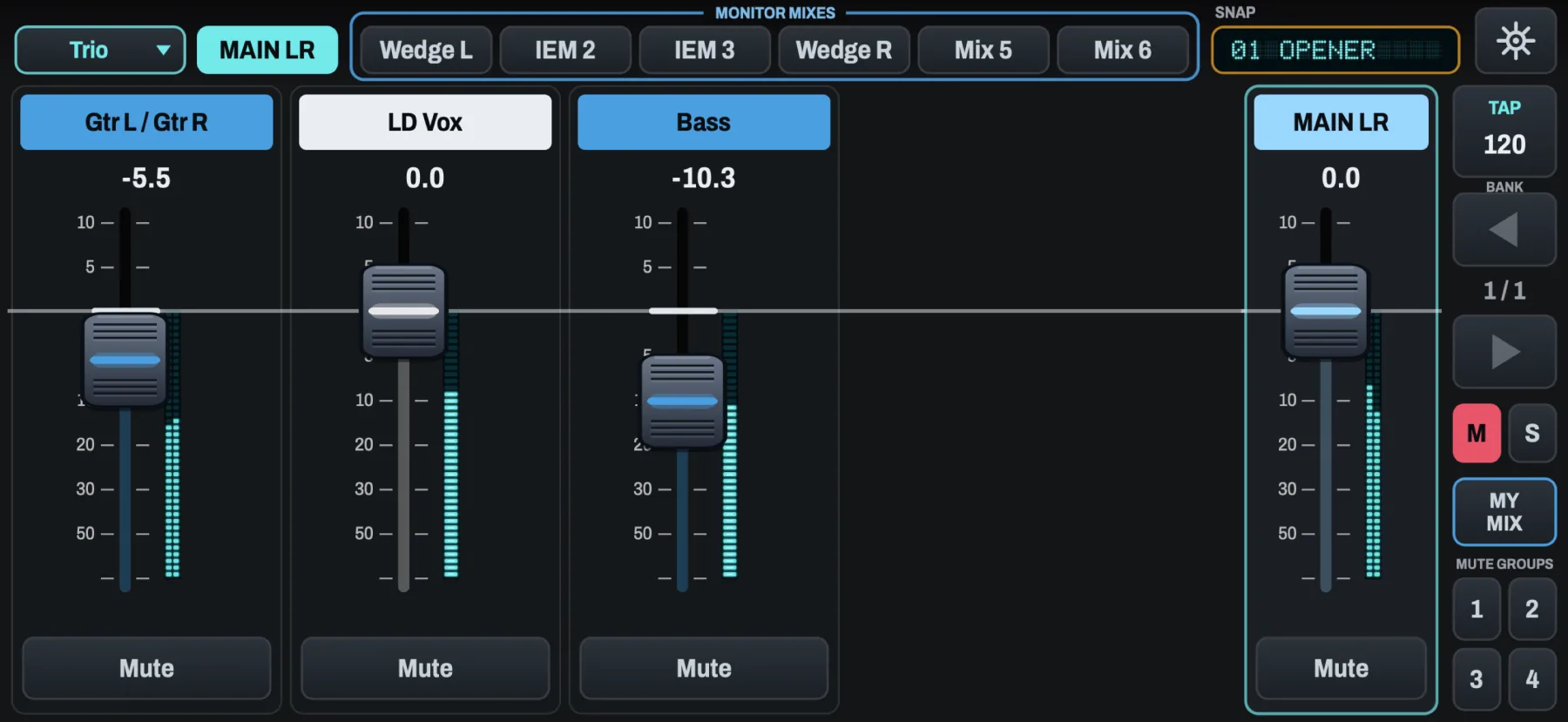
A fader group called "Trio": guitars, lead vocal and bass, the master, and the mute groups at the right.
See it in action
Thirty seconds of Pocket Mix on an iPhone. The video has no sound.
Made for a phone on a mic stand
Your faders, big
ALL steps through every channel, eight at a time. Or keep up to four named groups of up to eight faders, like "Duo" or "Full band". Faders move from where they are, never jumping to your finger, and you can feel 0 dB click into place.
Every mix, one tap away
MAIN and the six monitor mixes sit across the top. On a mix's page, the same faders set what that player hears, and the master on the right is that mix's level.
The channel, at phone size
Tap a channel's name for gain and 48 V, an EQ you drag with your finger, the compressor, the gate and the effect sends. Tap the master for the main or monitor mix EQ.
A look inside
Tap a picture to see it full size.
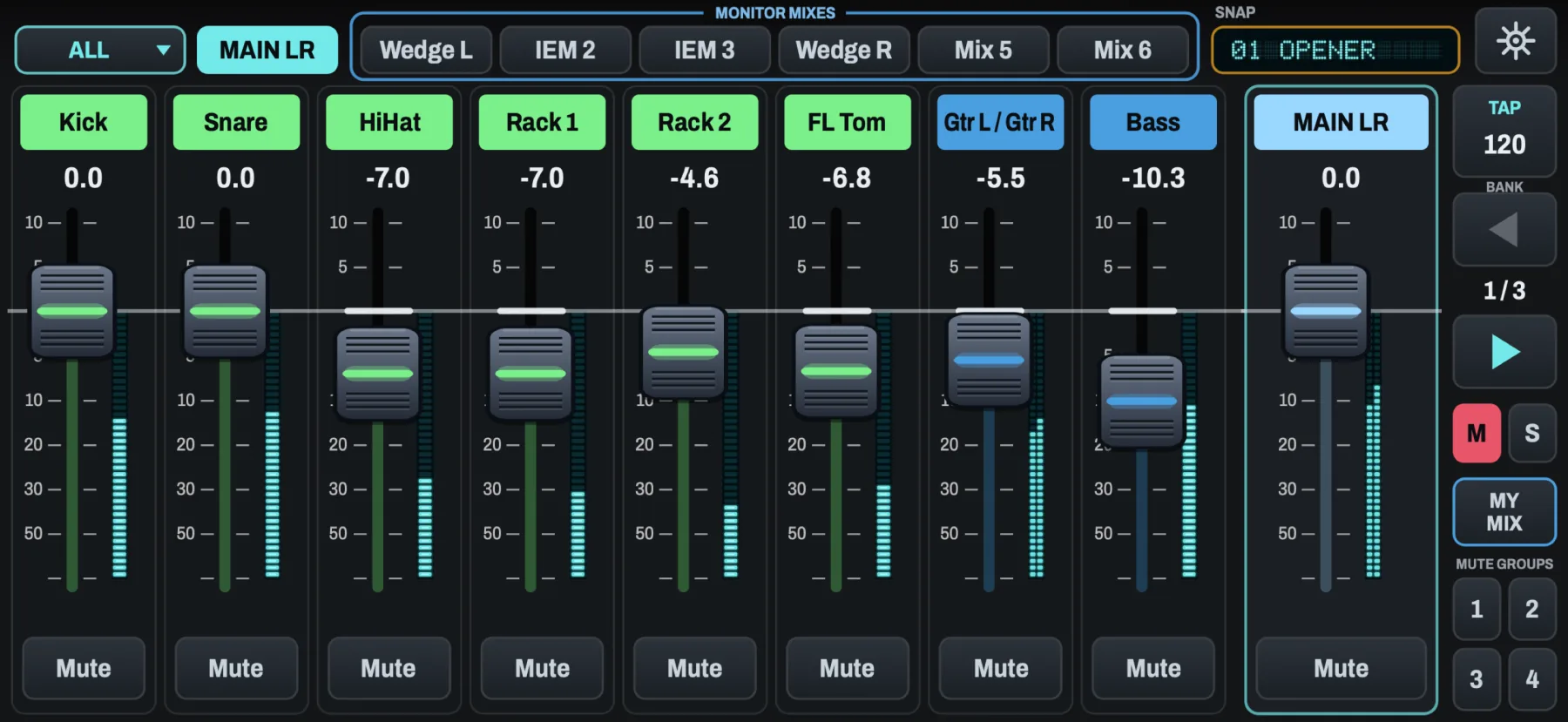
ALL. Every channel, the Aux and the effect returns, eight at a time. Big arrows step through the banks.
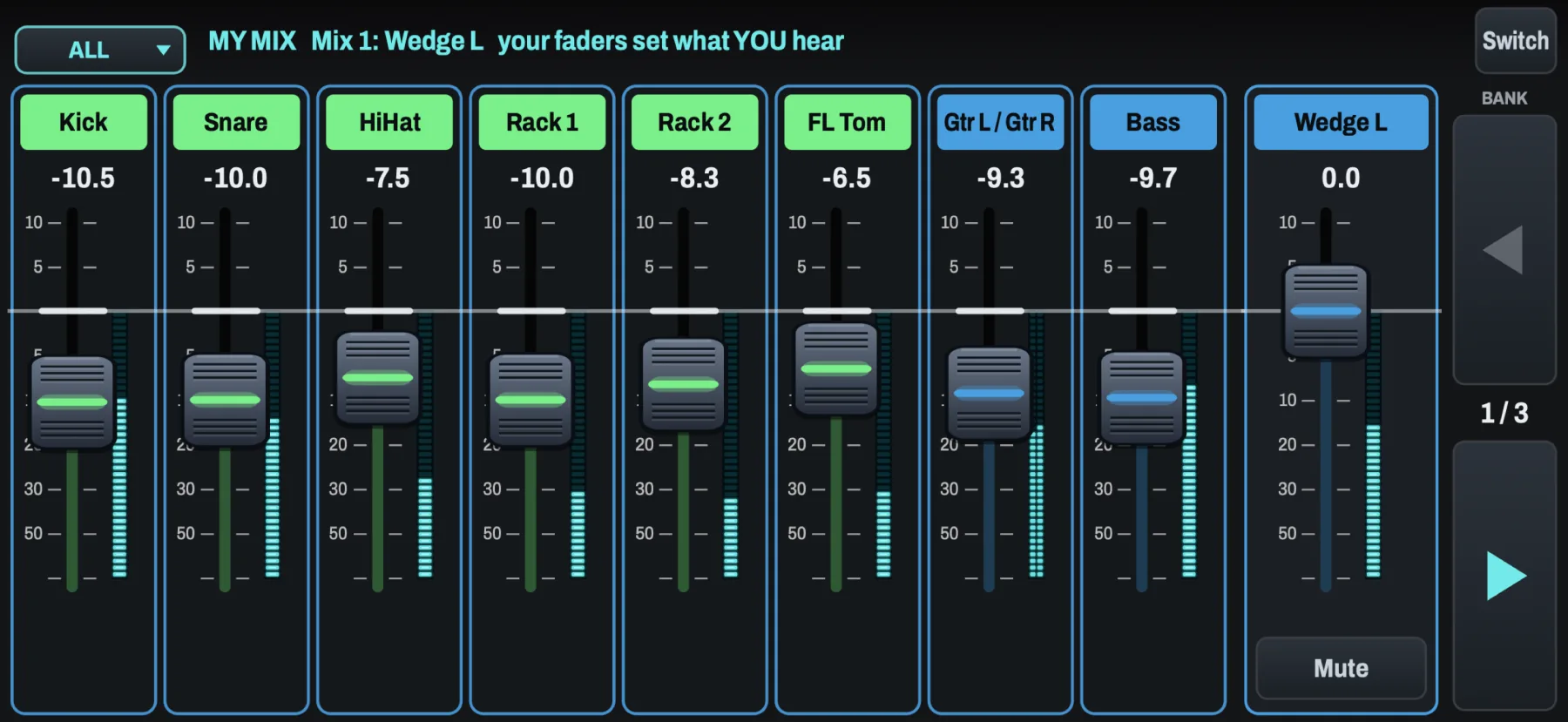
My Mix. Each player's phone locked to their own monitor mix. Their faders set only what they hear.
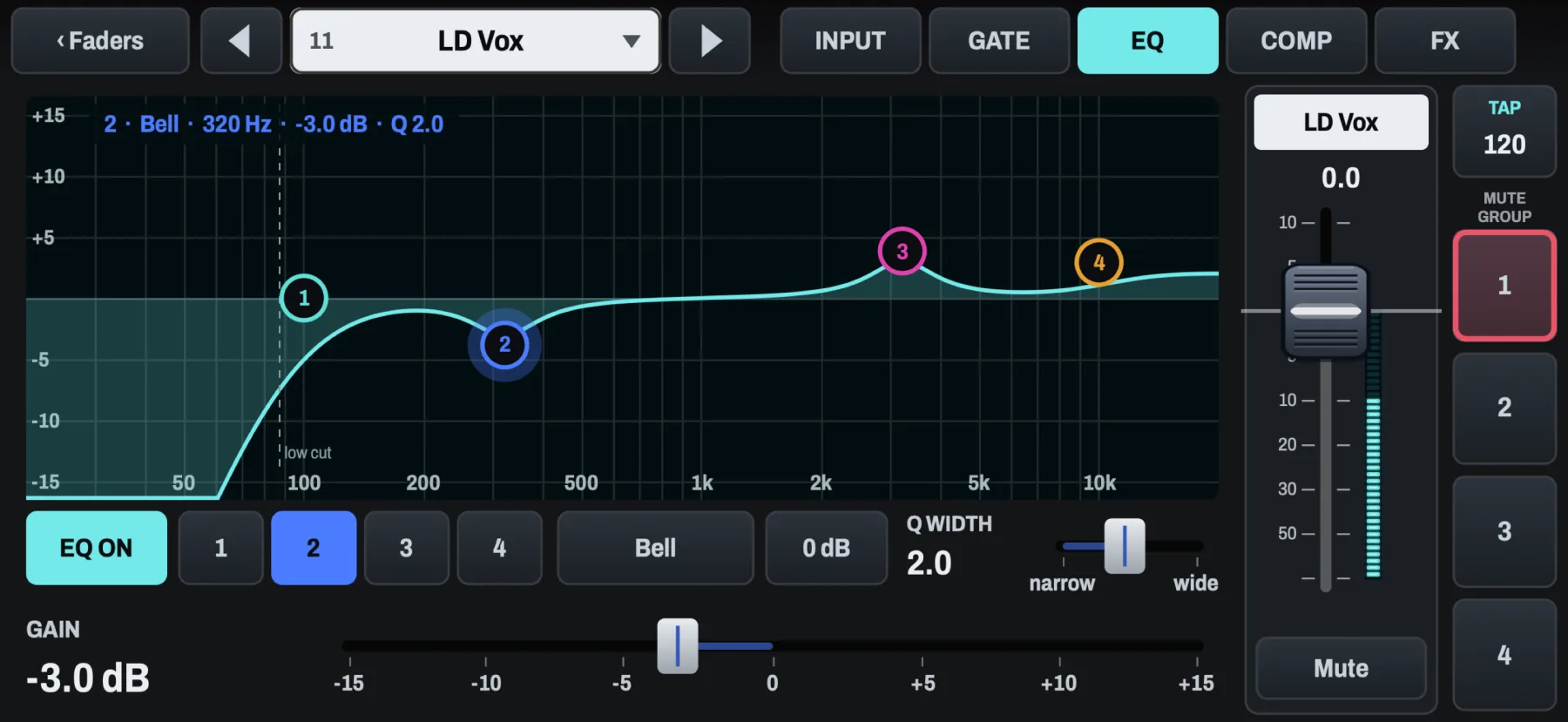
EQ. Drag a band's dot: across for frequency, up and down for gain, with a click at 0 dB.
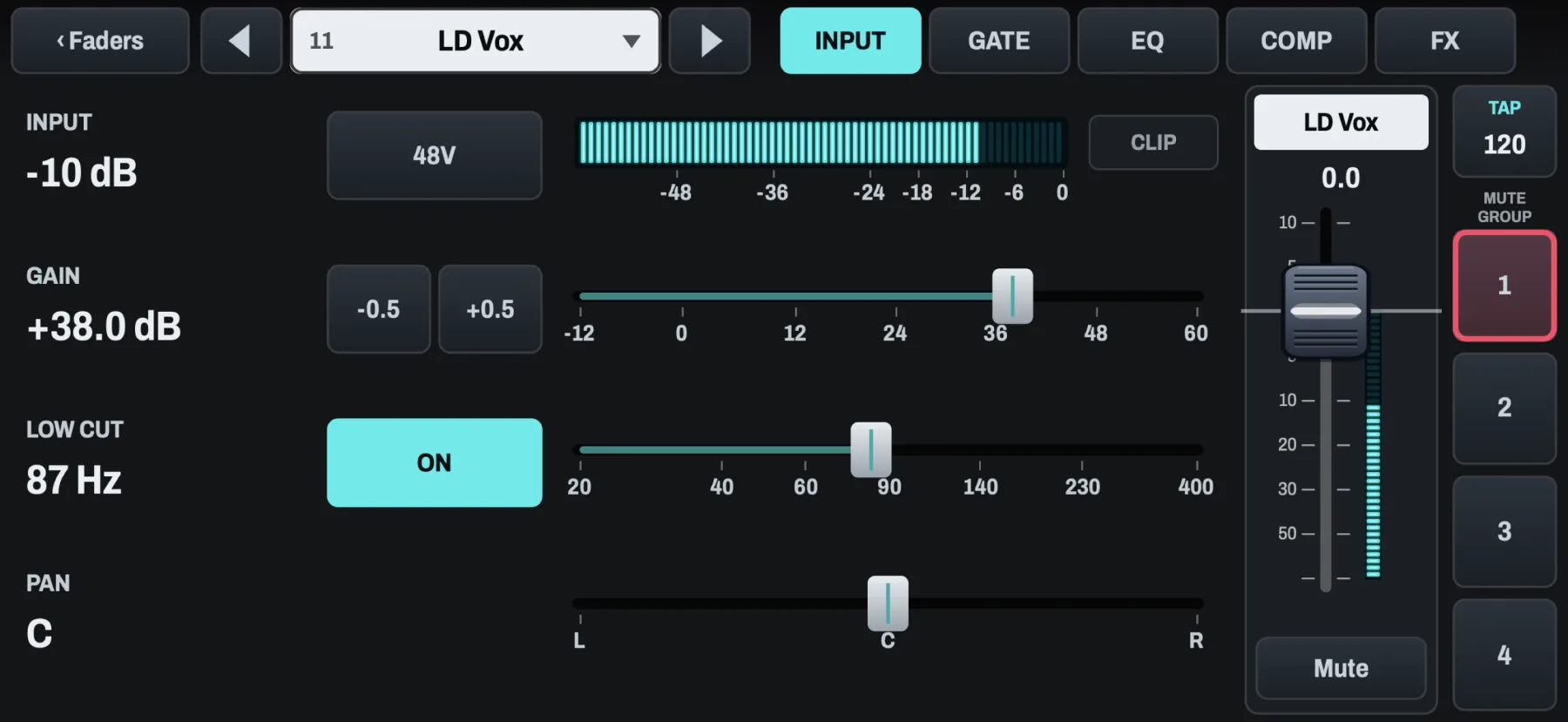
Input. The input meter, 48 V (it asks first), gain in the mixer's half-decibel steps, low cut and pan.
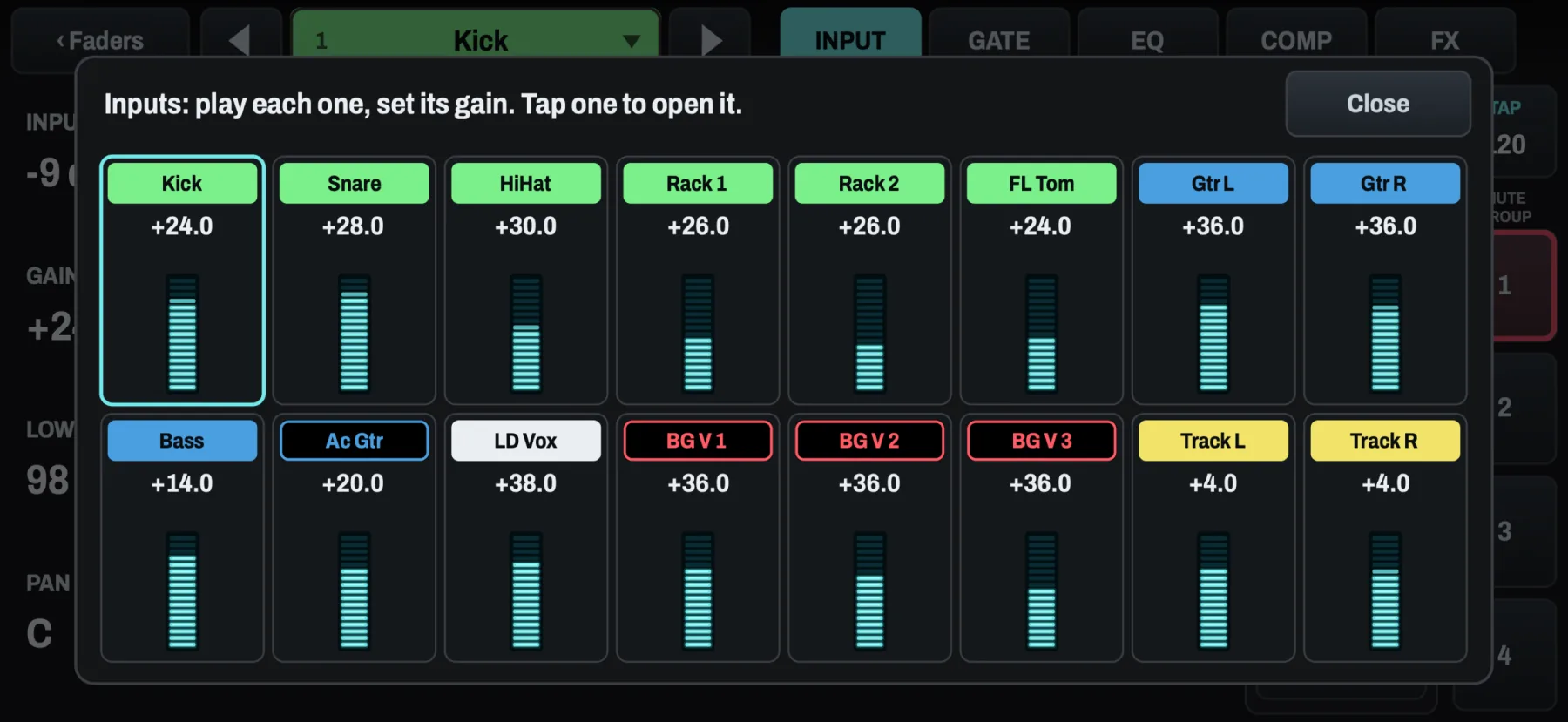
Line check. All sixteen inputs with their gain and meters on one screen. Tap one to open it.
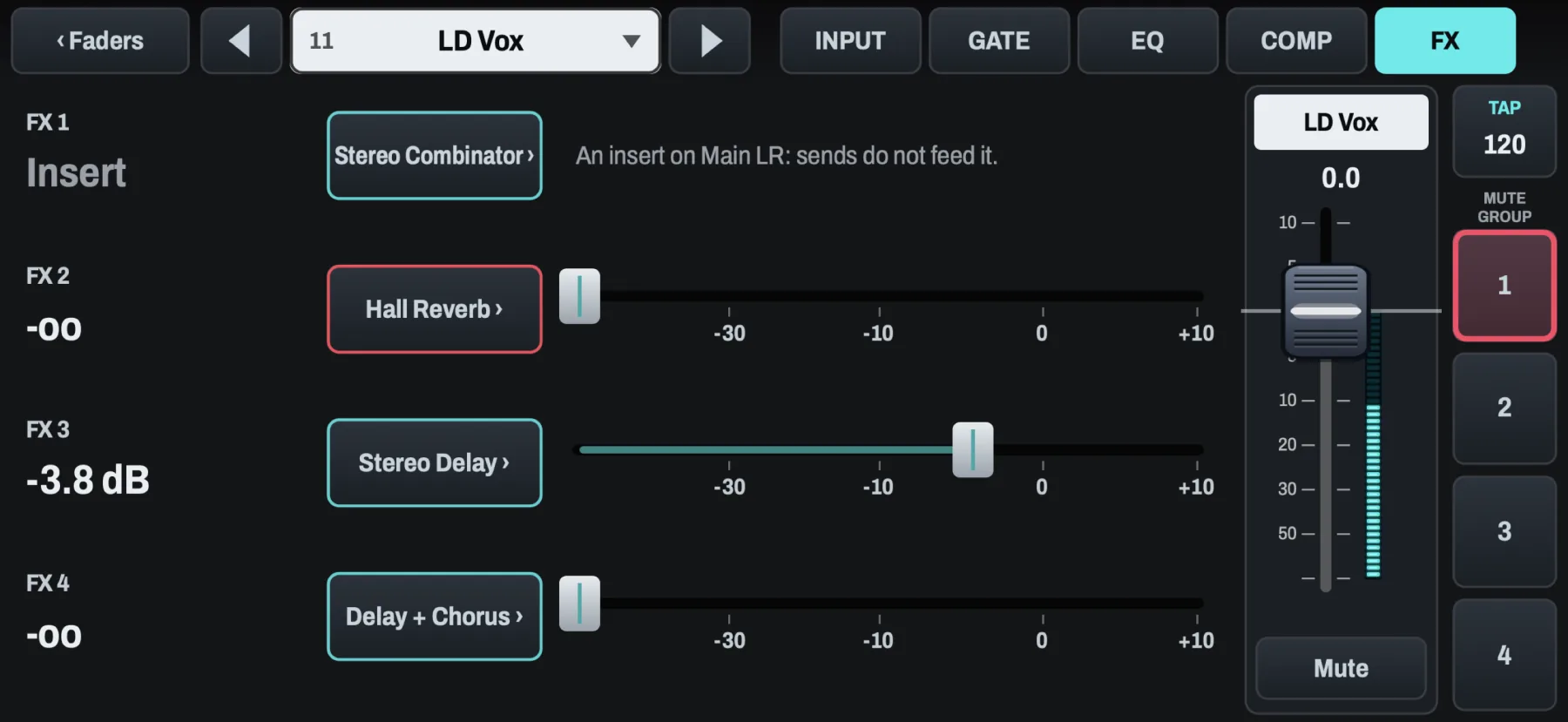
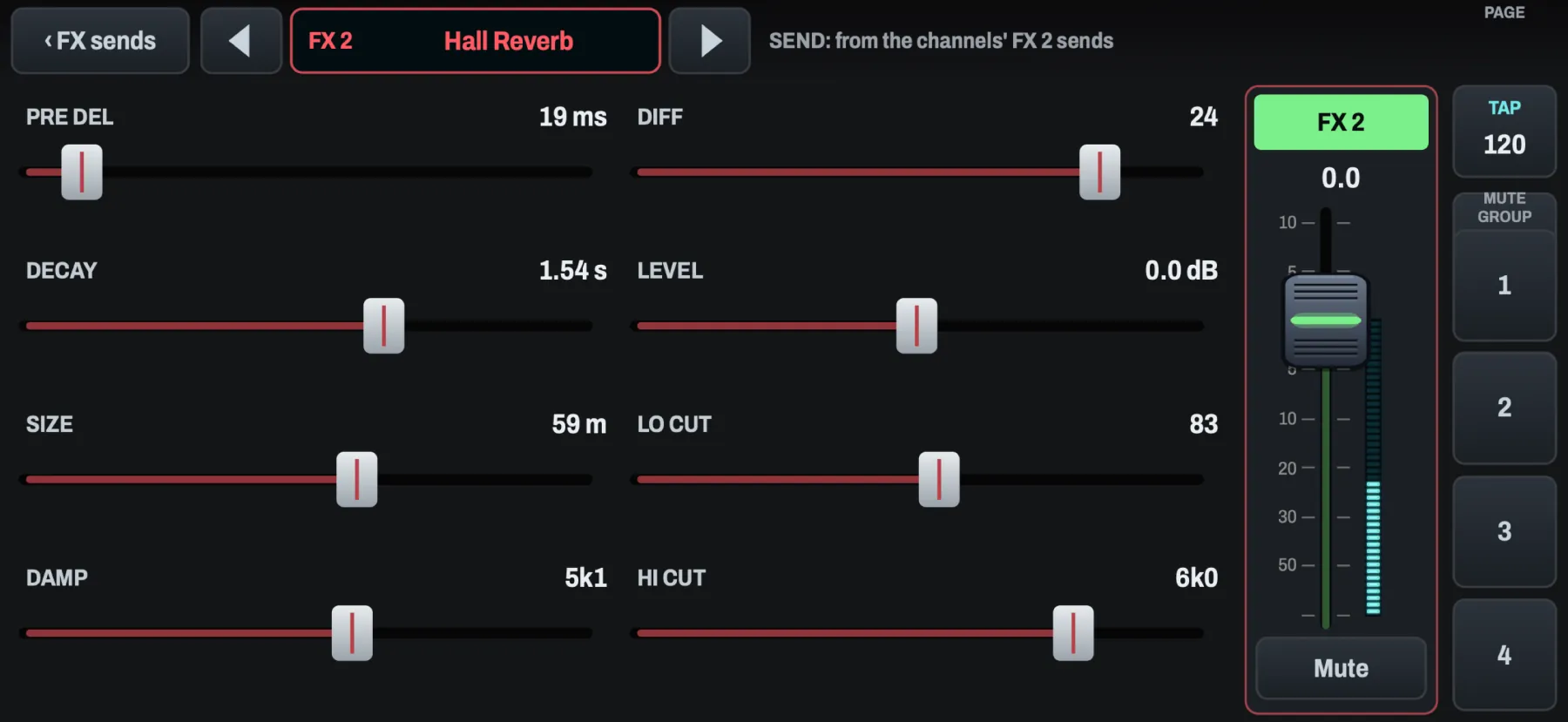
Effect sends. Each send named by its effect. An effect used as an insert says where it is.
Effects. Every control, with the values as the mixer shows them, and the effect's return fader beside them.
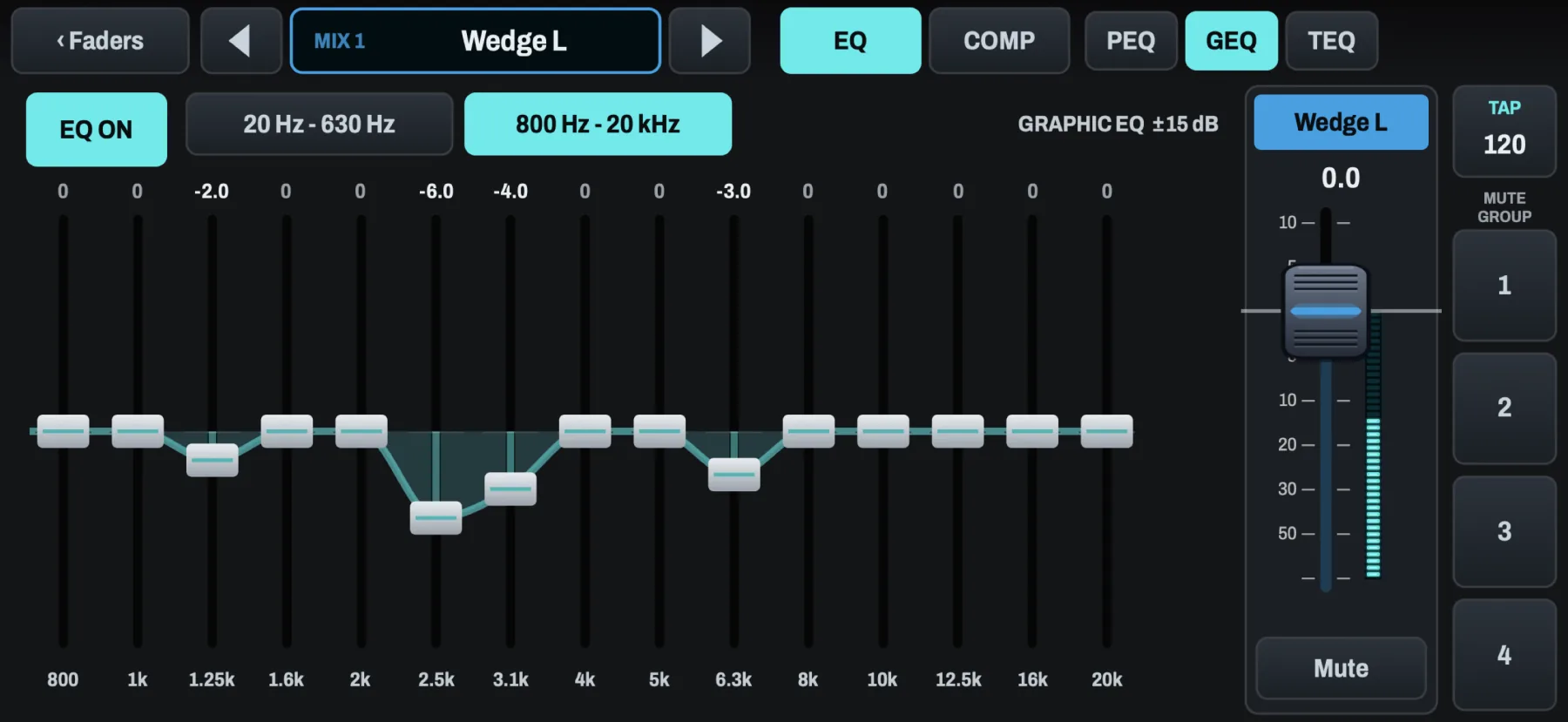
Ring out a wedge. The mix's 31-band graphic EQ, in two halves.
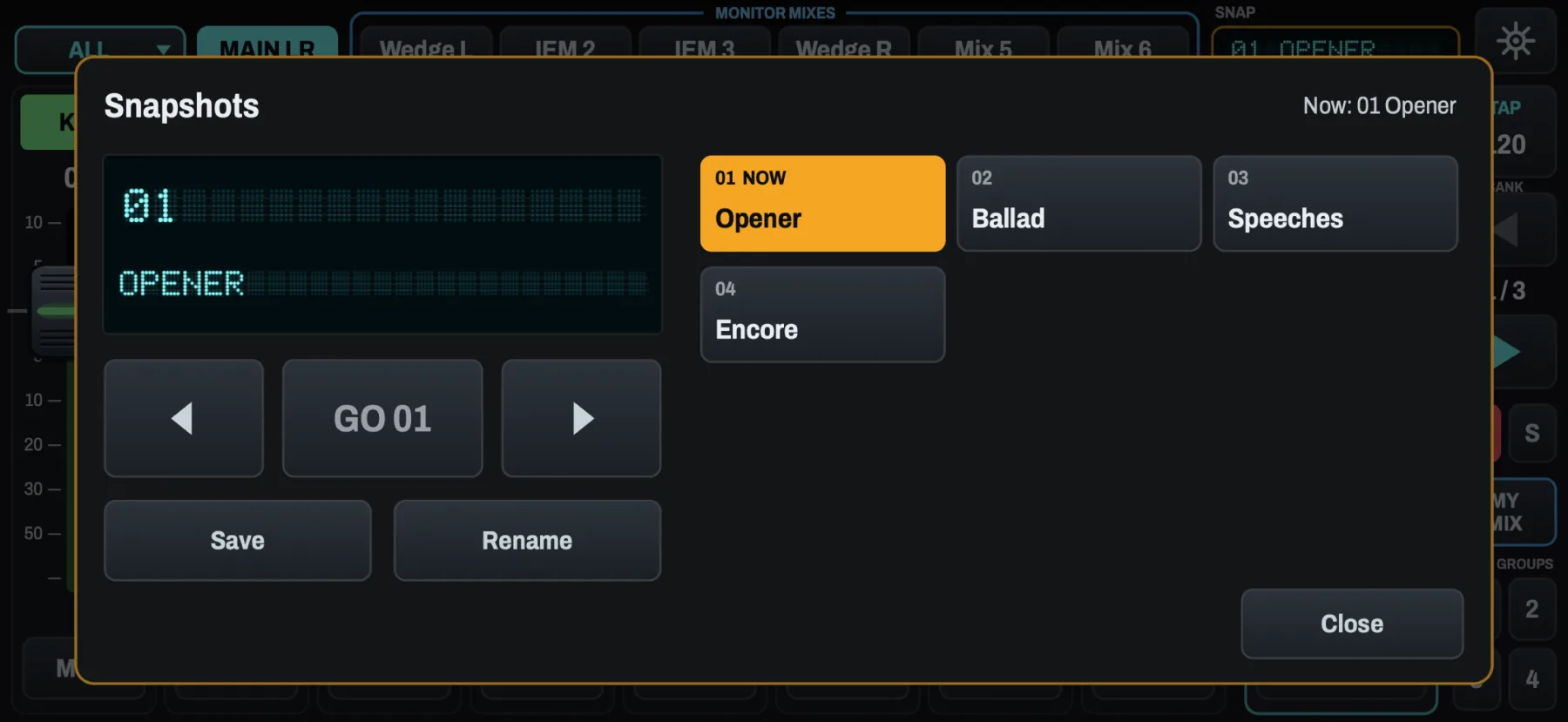
Snapshots. Step through them and press GO. No confirmation in the way.
For the whole band
Every player mixes their own monitors.
Each phone chooses once: the full mixer, or My Mix (personal monitoring). In My Mix a player's faders set only what they hear, and the main mix and everyone else's mixes are out of reach. Players can name and colour their own mix, so the engineer sees it at a glance. My Mix is free, so the whole band can install it. Set a house PIN, and the full mixer asks for it on every other phone and iPad.
A drummer with a stick in one hand? Pick ALL and use the big bank arrows. No setup at front of house.
Features
Faders
ALL or your own groups. Every channel, the Aux and the four effect returns, eight to a bank, or up to four named groups of up to eight. A stereo pair is one fader.
Each page keeps its own faders. MAIN shows your group; each monitor mix can show ALL or its own picks.
Never jumps. Touch anywhere on a fader's track and drag: it moves from where it is, at half your finger's speed. Grab the cap to move it one to one.
A click you can feel at 0 dB, and on every detent.
Mute groups as four big keys beside the master.
The channel page
Gain: the input meter with peak hold and clip, 48 V (it asks first), gain with -0.5 and +0.5 keys that land on the mixer's own half-decibel steps (and a click at 0 dB when you drag), low cut with clicks at the usual frequencies, and pan.
EQ: drag the bands on the curve; band keys, type and a 0 dB key; Q from narrow to wide.
Compressor: threshold over the live input and gain reduction, all twelve ratios as keys, makeup and auto.
Gate: threshold, range and all five modes.
Effects: the four sends, and each effect's own page with every control.
Mute group membership beside the channel's fader.
Mixes
MAIN and the six monitor mixes by name across the top. On a mix's page the faders are the sends into it.
The master's page: the main or monitor mix EQ, six bands, or the graphic EQ to ring out a wedge, plus its compressor.
Line check: every input's gain and meter on one screen.
The show
Snapshots with previous, next and GO.
Tap tempo at the top of the screen, flashing on the beat. Every delay follows it, and StompTap works from the phone too.
Scenes: load a show file from the Files app. You see what will change before anything is written, and it never turns on 48 V.
All 22 themes from the iPad, including Daylight for outdoor stages and Battle Station for a dark one.
One app, one purchase
Pocket Mix is Stejna Mix on iPhone, not a separate app. Install Stejna Mix, and your iPhone shows Pocket Mix while your iPad shows the full iPad mixer.
The demo mixer and My Mix (personal monitoring) are free. A one-time in-app purchase unlocks the full mixer on every iPhone and iPad with your Apple Account: buy it on one, then tap Restore purchase on the other. No subscription.